
A no-show costs a salon an empty chair. It costs a mobile therapist the chair, the drive out and the drive back. Charge 45 pounds for a lash infill that takes ninety minutes, add forty minutes of driving and the parking you have already paid for, and a client who does not answer the door has taken the best part of two and a half hours off you. Twice a month is 1,080 pounds a year, before fuel.
SimplyBook.me is the tool people reach for when that is the problem. It is one of the few booking systems a sole trader can run for nothing, and it is the one most often recommended for stopping no-shows. This review is about whether the recommendation survives contact with the product. It does, but not for the reason it is usually given, and the free plan is not the plan that does it.
What the free plan gives you, and where it stops
Free is free and does not expire: 50 bookings a month, one service provider, one custom feature. There is also a 14-day trial that opens up almost everything, with the same 50-booking allowance while it runs.
Fifty sounds generous until you count your own diary. A mobile hairdresser doing five heads a day, four days a week, is past it inside three weeks. SimplyBook.me’s own FAQ gives you two options when you hit the cap: upgrade, or buy extra bookings separately. There is no overflow and no grace month. If your calendar is already busy, treat free as a trial rather than a plan.
The cancellation policy does not take any money
This is the part that gets written up wrongly almost everywhere, and it was written up wrongly in our own comparison guide, which said SimplyBook.me will charge someone who does not turn up from 13.90 dollars a month. That was too loose. It has been corrected, and here is what the feature does.
Cancellation Policy is a free custom feature, and its documentation describes it in a single line: set the number of hours before an appointment when cancellation is possible, or prohibit cancellation altogether. You can add your own wording and ask for a reason. That is the whole feature.
It charges no fee. It keeps no card on file. It cannot bill anyone after the fact. If a client tries to cancel inside your window they see a notice saying the booking cannot be cancelled, and the appointment stays on your calendar. You still have an empty slot at ten past two. What you have gained is that the client could not quietly remove it themselves, which is useful for your records and useless for your bank balance.
Deposits are the only thing here that protects the hour
Money that is already yours before the appointment is the mechanism, and SimplyBook.me handles it with the Accept Deposits custom feature. The important details, from the documentation rather than the marketing page:
- Deposit amounts are set per service or class instead of once for the whole business. A 20-pound deposit on a full set and a 10-pound deposit on an infill is exactly the shape this is built for.
- The amount is a fixed figure, described as less than the price of the service and more than zero. The help pages do not document a percentage option, so if you want deposits to scale automatically with a price rise, you will be editing them by hand.
- When the client pays, the system raises two invoices: one for the deposit, and one for the balance, which stays pending until it is paid at the appointment.
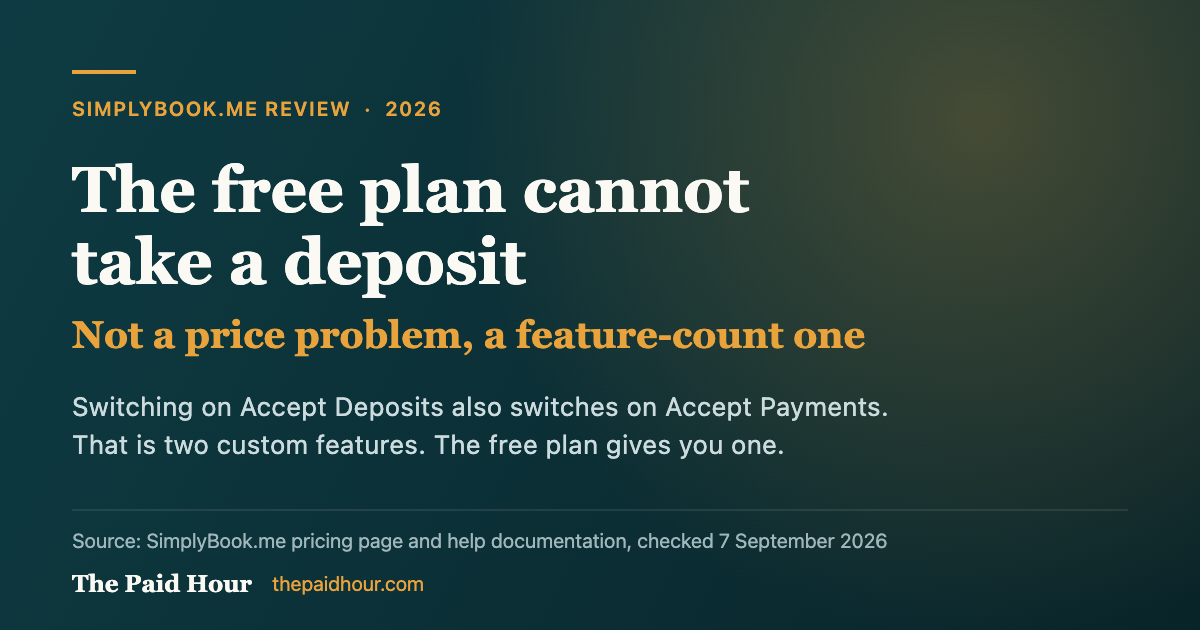
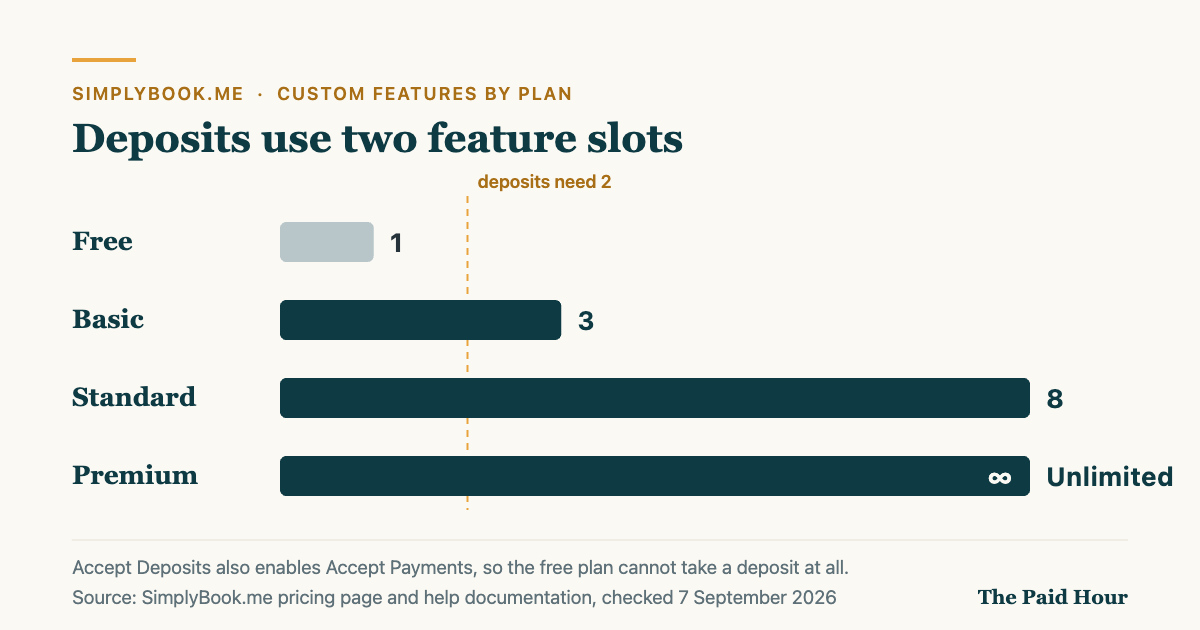
- Turning on Accept Deposits turns on Accept Payments as well. The documentation says so directly, and it costs you a second custom feature slot.
One setting inside Accept Payments deserves attention before you go live. Clients can be offered a Pay Later route, and an unpaid booking still holds the slot, marked unpaid, until a timeout you choose expires and the system cancels it. SimplyBook.me suggests at least an hour. Set it too generously and someone can sit on your Saturday morning without having paid for it, which is the problem you bought the software to solve.
Payments run through a processor you connect yourself, so the money lands in your account rather than SimplyBook.me’s. Stripe, PayPal, Square, Mollie, Adyen, Braintree and Worldpay are among those integrated, but the list is filtered by country. Check the United Kingdom list against the processor you already use before you commit to a plan for this feature alone.
The custom-feature arithmetic nobody mentions
| Plan | Monthly | Paid annually | Bookings a month | Providers | Custom features |
|---|---|---|---|---|---|
| Free | 0 dollars | 0 dollars | 50 | 1 | 1 |
| Basic | 13.90 dollars | 11.90 dollars | 100 | 5 | 3 |
| Standard | 29.90 dollars | 24.90 dollars | 500 | 15 | 8 |
| Premium | 59.90 dollars | 49.90 dollars | 2,000 | 30 | Unlimited |
Read that last column as a budget rather than a footnote.
- Free gives you one. Deposits need two. So the free plan cannot take a deposit at all, and the arithmetic settles that before any argument about price.
- Basic gives you three. Deposits take two of them. The third is your only other choice in the whole system: intake forms, or client login, or your own SMS gateway, or coupons, or the client app. One of those rather than several.
- Standard gives you eight, which is the first plan where you stop rationing. It is also 500 bookings a month, which most one-person mobile businesses will never need.
If you are choosing between Basic and Standard, the honest question is not how many bookings you take. It is whether one spare feature slot is enough.
Text reminders are not included in any plan
Email reminders come with the system. Text messages do not. SMS runs on a credit system that you buy on top of the subscription, and SimplyBook.me is upfront that one message is not one credit: it varies from roughly half a credit to one and a half, depending on the country you are sending to. The exact rate for your account only appears inside it, under Plans and Prices, Additional items.
For a mobile beauty business this is not a rounding error. Text is the reminder channel that works, because it is the one people read in the twenty minutes before you arrive. Price the credits before you decide the plan is cheap.
What you are actually allowed to keep in the UK
Software will happily take whatever you tell it to take. UK consumer law is the part that decides whether you get to keep it.
Part 2 of the Consumer Rights Act 2015 governs unfair terms in consumer contracts. Section 62 sets the test: a term is unfair if, contrary to the requirement of good faith, it causes a significant imbalance in the parties’ rights and obligations to the detriment of the consumer. An unfair term is not binding on the client, which means an aggressive cancellation clause is not simply hard to enforce, it can be worth nothing.
The practical shape of that, and the Competition and Markets Authority’s guidance on unfair contract terms is the document to read on it, is that you are entitled to be compensated for the loss a cancellation causes you, not to a windfall. A charge that bears no relation to what you lost, or a large sum described as non-refundable regardless of when the client cancels, is the kind of term that gets challenged.
Which is why the structure SimplyBook.me is built around tends to be the safer one: a modest deposit that comes off the final bill, set per service, disclosed before the client books. Terms and Conditions is another free custom feature and it makes clients accept your terms as part of booking, which handles the transparency half of the test. None of this is legal advice, and if you are writing a policy you intend to enforce on real money it is worth twenty minutes of proper advice.
What it costs over a year
Basic at 13.90 dollars a month is 166.80 dollars a year. Paid annually at 11.90 it is 142.80. Standard is 358.80 monthly or 298.80 annually. Those are US dollar prices, so the sterling cost depends on the rate on the day and on whether your card adds a non-sterling fee, which is usually around 3 per cent.
Against that, one lash infill at 45 pounds recovered per month pays for Basic several times over. The tool does not have to be clever to be worth it. It has to stop one no-show a month.
Who it suits, and who should not bother
It suits you if you run several services at different price points and want a different deposit on each, you want a booking page you can send in a message instead of a calendar link, and you are under a hundred appointments a month. That describes most mobile hairdressers, nail and lash techs, mobile massage therapists and one-person salons working from home.
Look elsewhere if you already take card payments through Square. Square Appointments’ free plan is priced in pounds and will already take a prepayment before a visit, which covers the same ground without a subscription, though its cancellation and no-show fee tooling sits on the Plus plan at 29 pounds a month. And if all you need is a link that lets people pick a time, with no money attached, this is more system than the job requires.
The tax side, briefly
The subscription is an allowable expense against your self-employed profit. Deposits are income, and if you use the cash basis they count in the period you receive them rather than the period of the appointment, so a deposit taken in March for an April appointment lands in the earlier tax year. A deposit you keep after a cancellation is still income. Our guide to invoicing deposits and part payments covers how to record them, and what accepting card payments costs covers the processor fee that comes off the top.
Where to sign up
SimplyBook.me
Per-service deposits and a booking page from 13.90 dollars a month, or 11.90 paid annually. Capped at 100 bookings a month on Basic.
Try SimplyBookSquare Appointments
Free plan takes a prepayment before visits and handles card payments. Cancellation and no-show fees need Plus at 29 pounds a month.
Visit SquareRead next
- Booking software for UK sole traders: which ones let you charge for a no-show
- Invoicing deposits and part payments
- What it costs to accept card payments as a freelancer
Sources
- SimplyBook.me: Pricing plans
- SimplyBook.me help: Cancellation Policy custom feature
- SimplyBook.me help: Accept deposits custom feature
- SimplyBook.me help: Accept payments custom feature
- SimplyBook.me help: SMS pricing
- SimplyBook.me: FAQ
- Consumer Rights Act 2015, Part 2: Unfair terms
- Competition and Markets Authority: Unfair contract terms (CMA37)
- HMRC: Cash basis
- Square Appointments: UK pricing
Plan prices, booking caps, custom feature counts and feature behaviour checked against SimplyBook.me’s own pricing page and help documentation on 7 September 2026. Dollar prices are billed in US dollars, so the sterling cost depends on the exchange rate on the day and any non-sterling fee your card adds. This review is based on the provider’s published documentation and pricing, not on running a salon through the system. It is general information, not financial, tax or legal advice.